Renewing a passport
Choose the country first, resize to its published format, and check whether it accepts home-prepared or digitally edited photos.
Choose your passport, visa, or ID document, then upload one photo. You can check the basics and download a clean resized JPG for free; sign in only if you want optional AI cleanup.
Search by country, document type, or photo size. Open the matching guide to review the requirements and official source before you prepare the file.
Showing 24 of 460 document sizes
2 x 2 inch crop with white background guidance.
35 x 45 mm digital and print notes.
33 x 48 mm visa-style photo with halo risk checks.
35 x 45 mm visa crop used across many EU routes.
2 x 2 inch visa photo with upload-size reminders.
US-style 2 x 2 photo for USCIS and DV Lottery checks.
Guidance for newborn and child photo edge cases.
Square size used by US passport, visa, and green card routes.
Common passport and visa size for UK, Europe, Japan, and more.
Free item-by-item review without an approval score.
Resize common document photos for free in the browser.
Preview cleanup, then decide if edits are safe for the country.
25.4 x 33.9 mm crop with a 300 x 400px output. Review the document guide before you submit.
33 x 48 mm crop with a 390 x 567px output. Review the document guide before you submit.
33 x 48 mm crop with a 780 x 1134px output. Review the document guide before you submit.
33 x 48 mm crop with a 390 x 567px output. Review the document guide before you submit.
35 x 45 mm crop with a 827 x 1063px output. Review the document guide before you submit.
35 x 45 mm crop with a 413 x 531px output. Review the document guide before you submit.
35 x 45 mm crop with a 827 x 1063px output. Review the document guide before you submit.
35 x 45 mm crop with a 827 x 1063px output. Review the document guide before you submit.
60 x 80 mm crop with a 900 x 1200px output. Review the document guide before you submit.
80 x 100 mm crop with a 1200 x 1500px output. Review the document guide before you submit.
35 x 45 mm crop with a 413 x 531px output. Review the document guide before you submit.
51 x 51 mm crop with a 600 x 600px output. Review the document guide before you submit.
Choose the exact document, review the basic file and crop checks, and sign in only if you want optional AI background or crop cleanup.
144 countries/regions, 454 document sizes
Use these results as a preparation checklist, not as a government approval guarantee.
Use AI only if the background, crop, or lighting needs work. Sign-in is required because cleanup uses account credits.
Your feedback helps tune the checklist wording and warning levels.
Pick the exact document first, because sizes and editing rules vary. The basic check and resize run in your browser without sign-in. You decide about AI cleanup after reviewing the original.
Choose the country and the exact passport, visa, or ID document.
Upload a clear, recent photo with your full face visible.
Review each item marked Passed, Warning, or Needs retake.
Compare the result with the official rules, then download or retake.
These illustrated examples show the intended crop, background, and output size. They demonstrate the workflow; they are not evidence that an authority will accept a photo.

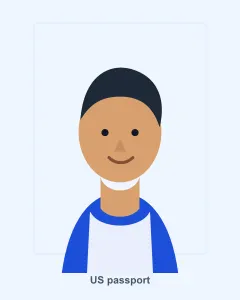
See the square crop and background treatment, then compare the preview with the original before using it.
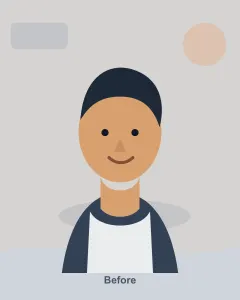
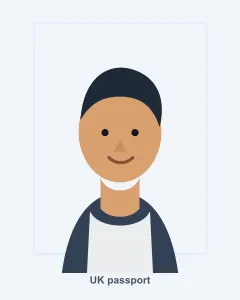
Preview the portrait crop and read the digital-file notes before deciding whether the original needs any cleanup.

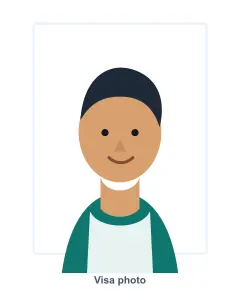
Use the preview to spot crop or background problems. If editing could change the face or edges, a new photo is safer.
Each guide brings together the photo dimensions, background notes, digital-edit risks, official source link, and the date the rules were last reviewed.
Plain white or off-white background with no shadows, texture, or lines.
Plain light-coloured background with clear contrast and no shadows.
Plain white background with even lighting and no shadows.
Plain, uniform, light-coloured background with clear contrast between face and background.
Plain white or light background that contrasts with the face.
Plain white or close-to-white background, depending on the specific passport or visa route.
No background objects; white is recommended by Japan's Ministry of Foreign Affairs.
Plain light grey or neutral light background with no pattern or shadow.
Plain light-coloured background such as light blue or light grey; white background is prohibited by Service-Public guidance.
Uniform, white, smooth background.
Choose the country first, resize to its published format, and check whether it accepts home-prepared or digitally edited photos.
Prepare the requested pixel size and crop while keeping the original nearby for a final side-by-side review.
Use the same clear process for each person, even when the family needs different countries, documents, or photo sizes.
Country guides link to the relevant official page and show when the requirements were last reviewed.
The checker uses Passed, Warning, and Needs retake because one serious issue can matter more than a high average.
The tool flags digital-edit risks, especially when a country restricts altered or software-edited photos.
The tool helps you prepare and review a photo. The passport office, embassy, consulate, or official upload system decides whether it is accepted.
Use these answers to understand the free check, optional AI cleanup, and submission limits before you start.
No. It helps you prepare and review a photo against published requirements. The passport authority, embassy, consulate, or official upload system makes the final decision.
Yes. You can choose a document, run the basic checklist, resize in your browser, and download the resized JPG without signing in or paying. Optional AI cleanup uses paid credits.
It checks file type, size, resolution, and crop shape, then prompts you to inspect the background and face position. Compare every result with the linked official rules.
One serious issue can matter more than a high total score. The labels show what looks fine, what needs review, and when a new photo is safer.
Sometimes, but rules vary. Keep the face unchanged, compare with the original, and retake if cleanup changes facial details, skin tone, hair edges, or the required background.
Guides cover the United States, United Kingdom, India, Canada, Australia, China, Japan, Germany, France, and Spain. Each guide includes a source link and last-reviewed date.
Explore related pages
Choose a free online maker, read the rules for a specific country, or follow a phone-photo guide before you submit.